Table of Contents
Introduction
Modern businesses thrive on their ability to resolve employee and customer issues quickly and consistently. Yet, as technology environments grow more complex, manually tracking support requests drains valuable resources and risks important issues falling through the cracks. Adopting an integrated Microsoft ticketing system within the Microsoft 365 ecosystem empowers organizations to centralize support workflows, automate routine processes, and create a foundation for ongoing productivity improvements.
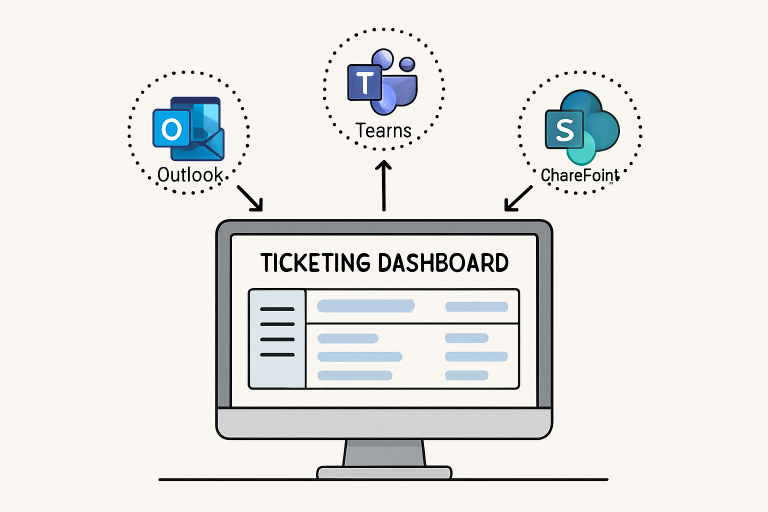
By leveraging existing platforms like Outlook and Teams, a Microsoft 365 ticketing system embeds support directly within the tools employees already use each day. IT and business units no longer jostle emails and spreadsheets; instead, they gain a robust digital solution that encourages transparency, accountability, and collaboration from issue submission to resolution.
The integration potential across the Microsoft stack is one of its greatest strengths. With seamless interoperability—whether through automated ticket creation from email or structured request forms within SharePoint—organizations accelerate support operations and improve end-user satisfaction. These benefits compound as automation and analytics further reduce workload for IT staff while surfacing actionable insights to business leaders.
A commitment to digital transformation isn’t just about technology; it’s about delivering real operational gains for the people who keep the business moving forward, from the front lines to upper management. Embracing a cloud-based ticketing solution is a practical step toward a more resilient, agile workplace culture.
Streamlining Issue Management
Disconnected channels pose chronic challenges for IT departments. Employees submit requests via phone calls, chat, or ad hoc emails—each with varying levels of detail and no standardized tracking. A Microsoft 365 ticketing system changes this by funneling all requests into a unified portal. Centralized logging, automatic timestamping, and built-in assignment workflows ensure issues never disappear into an inbox void, and every ticket’s progress is easy to follow.
Centralization also clarifies responsibilities. Support teams can quickly prioritize urgent issues, assign tickets based on expertise or workload, and escalate persistent problems without duplicating effort. This reduces average response and resolution times, boosting end-user satisfaction and freeing IT professionals to focus on high-impact projects.
Leveraging Automation for Efficiency
Manual ticket processing is one of the biggest drains on IT capacity. Microsoft 365’s automation tools fundamentally transform ticket management. Simple, repetitive tasks—password resets, access requests, or device setup—can be routed through automated workflows that assign tickets, send notifications, and even trigger resolution actions with minimal human intervention.
When a request matches specified keywords or categories, it is automatically routed to the right support technician or escalated if it meets specific criteria. End users receive instant confirmations and updates, reducing uncertainty and repeat inquiries. As workflows evolve and IT teams identify new automation opportunities, the system continually improves, slashing resolution cycles and allowing staff to focus on mission-critical challenges.
Empowering Employees Through Self-Service
Many support tickets involve questions that could be answered with a simple guide or FAQ. Microsoft 365 enables organizations to build a dynamic, SharePoint-backed knowledge base accessible from anywhere in the company. Employees can find troubleshooting articles and instructional content before submitting a ticket, reducing repetitive queries.
With Teams bots, answers become even more immediate. If an employee types a keyword or issue in Teams chat, the bot can suggest relevant knowledgebase articles or escalate to a live agent if self-service options are exhausted. IT teams need to update documentation in only one place, maintaining consistency and ensuring support resources are always fresh and accurate. This shift gives employees the autonomy to solve common issues independently while reserving expert attention for complex cases.
Gaining Insights with Data Analytics
The centralized nature of Microsoft 365 ticketing systems means every incident, resolution, and workflow is recorded and easily analyzed. Support teams and decision-makers can identify recurring issues, track resolution performance and highlight bottlenecks, turning operational data into powerful insights for future planning. This process aligns with principles of data analytics, in which raw data is systematically examined to uncover trends, patterns, and actionable insights. Regular analysis can reveal trends, such as a recurring system glitch or department-specific challenges, helping prevent repeat problems and enabling organizations to focus improvement efforts more strategically.
Over time, this approach establishes a cycle of continuous improvement. By reviewing ticket metrics and trends, organizations unlock a deeper understanding of their support landscape and can set measurable goals for ongoing productivity gains.
Conclusion
A Microsoft 365 ticketing system offers more than just streamlined support operations; it lays the groundwork for an empowered, data-driven, and highly collaborative workplace. Centralized ticket management, deep integrations, automation, and advanced analytics collectively reduce administrative burdens and unlock the potential for rapid, proactive support. By embracing these digital foundations, organizations cultivate resilient workflows, elevate employee experience, and set the stage for sustainable productivity growth in today’s competitive landscape.