Business networks are carrying more traffic than ever, from cloud applications and video calls to security cameras, connected equipment, and digital records. A well-planned fiber optic network can provide the capacity and stability these tools require, but the best results come from designing the full system rather than simply buying faster internet service.
A future-ready plan considers how people work today, where data travels inside the building, which systems must stay available, and how the organization may grow. This approach is relevant to offices, schools, clinics, retail locations, manufacturing facilities, and any site where an outage or slowdown can interrupt daily operations.
Table of Contents
- 1 Why Business Networks Need a New Plan
- 2 Step One: Review Current Network Use
- 3 Step Two: Match Fiber Design to the Building
- 4 Step Three: Plan for More Than Today’s Traffic
- 5 Step Four: Build Reliability into the Layout
- 6 Step Five: Choose Equipment That Can Grow
- 7 Installation Details That Prevent Future Problems
- 8 Testing, Documentation, and Physical Protection
- 9 Common Planning Mistakes to Avoid
- 10 Conclusion
Why Business Networks Need a New Plan
Many older networks still work under ordinary conditions, yet become unreliable during busy periods. A sudden increase in video meetings, cloud backups, wireless devices, high-resolution cameras, or automated equipment can expose bottlenecks in uplinks, patch panels, closets, and cable routes. Fiber carries data as pulses of light, and its high bandwidth and resistance to electromagnetic interference make it useful for demanding, longer-distance connections, as explained in this overview of fiber-optic communication.
Network performance also depends on the complete physical design. Fast service entering a building cannot fully overcome crowded pathways, aging switches, poor cable management, or a single point of failure between important areas.
Reliable network cabling provides the organized physical foundation that connects work areas, wireless access points, cameras, phones, servers, and network closets. Planning those connections before walls, ceilings, or workspaces change is generally easier than adding capacity after a problem appears.
Step One: Review Current Network Use
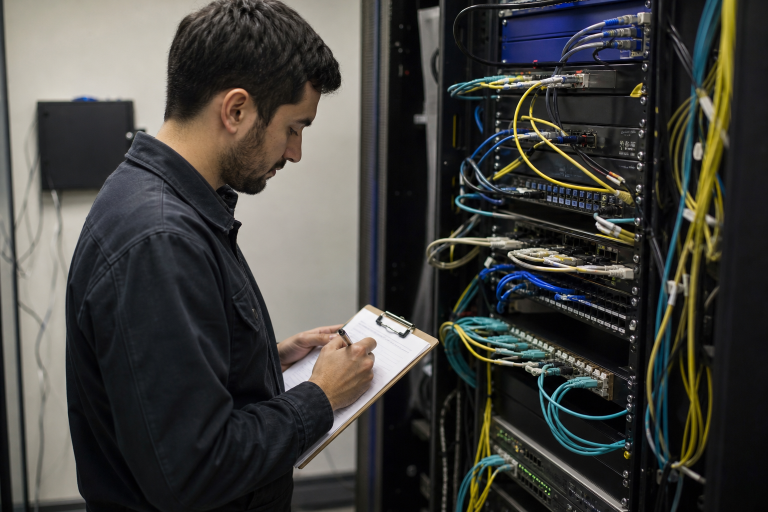
Start with an inventory rather than assumptions. Map each building, floor, room, and network closet. Record switches, routers, access points, servers, phones, cameras, printers, and specialized equipment. Then review when slowdowns occur and which applications need steady performance or very low delay.
For example, a growing clinic may add cloud-based records, telehealth appointments, cameras, and guest wireless service over time. If its original cabling paths and switch uplinks were designed only for a small staff, the new tools may compete for the same limited connection. Identifying that constraint early supports a more focused project plan.
Questions for the Initial Review
- Which systems are essential to serving customers, patients, students, or production teams?
- When do users report slow connections, dropped calls, or delayed files?
- Which devices need dedicated or prioritized capacity?
- Are network closets accessible, cooled, powered, and large enough for expansion?
Step Two: Match Fiber Design to the Building
Fiber selection should reflect distance, building layout, installed equipment, and upgrade expectations. Multimode fiber is commonly used for shorter runs inside buildings, while single-mode fiber is often chosen for longer distances and high-capacity backbone links. The correct choice also depends on the optics, connectors, and switch interfaces used at each end.
Route planning matters just as much as cable type. Indoor cable may need riser or plenum ratings depending on where it travels. Outdoor or underground runs need protection from moisture, temperature changes, construction activity, and accidental cuts. Avoid sharp bends, crushing pressure, excessive pulling force, and locations that make later access difficult.
Step Three: Plan for More Than Today’s Traffic
A network built only for current demand can quickly become restrictive. Estimate likely changes in staffing, devices, building use, remote collaboration, wireless coverage, sensors, access control, video, and data-heavy software. Ask a simple planning question: What will this building need if data use doubles within the next few years?
Where budget and space allow, leave spare fiber strands, open patch-panel positions, unused switch ports, rack capacity, and pathway room. Separating critical business traffic from guest access and lower-priority devices can also help important services remain responsive during heavy use.
Step Four: Build Reliability into the Layout
Redundancy means having a second route or component that can keep important services available when the primary option fails. A single damaged conduit, construction accident, failed uplink, or power issue can disrupt an entire department if all connections rely on a single path.
Not every connection needs the same level of protection. Prioritize backup paths for functions such as payment processing, medical systems, production controls, security monitoring, emergency communications, and core internet access. The appropriate level of redundancy should match the cost of downtime and the organization’s operational risk.
Step Five: Choose Equipment That Can Grow
Switches, transceivers, patch panels, and power systems should be reviewed as a single, integrated design. Confirm uplink capacity, supported fiber types, connector formats, optical wavelengths, distance limits, power requirements, and available rack space before ordering equipment. Mixing components without checking compatibility can lead to avoidable troubleshooting.
Choose equipment based on the speeds the organization expects to need, not solely the minimum speed required today. That does not mean purchasing the most advanced option available. It means selecting a practical platform that can support a reasonable upgrade path without replacing the entire physical network.
Installation Details That Prevent Future Problems
- Map routes and equipment locations before installation begins.
- Label both ends of every cable with clear, consistent identifiers.
- Keep service loops neat, accessible, and protected from damage.
- Protect unused connectors and ports from dust and contamination.
- Photograph pathways and closets before ceilings or walls are closed.
- Keep power and data pathways appropriately separated for the site design.
Testing, Documentation, and Physical Protection
A link that looks properly installed may still have a loss, contamination, a damaged connector, or a bend that affects performance. Testing should include appropriate measurements for the project, such as insertion loss and return loss. An optical time-domain reflectometer can help characterize a fiber run and identify the approximate location of events along the cable.
Keep test results with floor plans, cable schedules, port labels, and photographs. Update those records after every move, addition, or change. Accurate documentation shortens repair time because technicians can trace a connection without relying on guesswork.
Physical security also supports digital reliability. Limit access to network closets and patch panels; use locks or controlled entry where appropriate; monitor temperature and power conditions; and protect outdoor runs from water, pests, and construction damage. Backup power should support the network equipment required to keep critical services running during a short outage.
Common Planning Mistakes to Avoid
- Designing around today’s user count without accounting for growth.
- Selecting equipment before evaluating pathways and distances.
- Skipping labels, test records, and updated diagrams.
- Putting all critical connections on a single physical route.
- Choosing parts based only on initial purchase price.
- Assuming wireless can replace every wired connection.
Conclusion
A future-ready business fiber network begins with a clear understanding of current use and likely change. By planning capacity, routes, equipment compatibility, redundancy, testing, and documentation together, organizations can reduce avoidable disruption and make future upgrades more manageable. The goal is not simply higher speed. It is a dependable network that continues to support the way the business operates as its needs evolve.